
找到
195
篇与
E家之长
相关的结果
-
 【E家分享月刊系列】2024-06 我们每天都生活在数字世界,浏览网页,查看手机,各种信息高度碎片化,本系列记录每个月我看到的有价值的信息,目的在于记录那些让我有印象的信息,为今后做一个留存以及共享。内容主题很大程度由我个人喜好主导。个别内容我会陆续汇总到【E家汇总系列】,或者整理成教程进行分享。Github 项目Sun-Panel项目地址:https://github.com/hslr-s/sun-panel在线体验:https://sunpaneldemo.enianteam.com/官网地址:https://doc.sun-panel.top/zh_cn/项目介绍:一个漂亮的服务器、NAS导航面板、Homepage、浏览器首页。Flare项目地址:https://github.com/soulteary/docker-flare在线体验:https://flare.limour.top/教程地址:https://doc.sun-panel.top/zh_cn/项目介绍:Flare 是一款轻量、快速、美观个人导航页面,适用于 HomeLab 或其它注重私密的场景。安装教程:https://iwanlab.com/docker-compose-install-flare/https://dusays.com/688/https://soulteary.com/2022/02/23/building-a-personal-bookmark-navigation-app-from-scratch-flare.htmlacme.sh项目地址:https://github.com/acmesh-official/acme.sh中文介绍:https://github.com/acmesh-official/acme.sh/wiki/%E8%AF%B4%E6%98%8E官网地址:https://acme.sh/项目介绍:acme.sh 实现了 acme 协议, 可以从 letsencrypt 生成免费的证书。有不少申请免费证书的工具,都是基于此项目实现的。certd项目地址:https://github.com/certd/certd在线体验:https://certd.handsfree.work/项目介绍:一个免费全自动申请和部署 SSL 证书的工具。还可通过配置定时任务自动将证书续期。Van Nav项目地址:https://github.com/Mereithhh/van-nav在线体验:https://demo-tools.mereith.com/项目介绍:一个轻量导航站,汇总你的所有服务。全平台支持,单文件部署,有配套浏览器插件。Docker 安装:特别修改了原作者的安装路径,适合 1Panel 的使用习惯。docker run -d --name van-nav --restart always -p 6412:6412 -v /opt/1panel/docker/compose/van-nav:/app/data mereith/van-nav:latest使用方法:打开浏览器 http://localhost:6412 即可访问。默认端口:6412默认账号密码 admin admin,第一次运行后请进入后台修改数据库会自动创建在当前文件夹中:nav.dbRin项目地址:https://github.com/OXeu/Rin?tab=readme-ov-file演示地址:https://xeu.life/项目介绍:Rin 是一个基于 Cloudflare Pages + Workers + D1 + R2 全家桶的博客,无需服务器无需备案,只需要一个解析到 Cloudflare 的域名即可部署。软件Washbaidu软件地址:https://toast.pub/washbaidu/landing.html软件介绍:百度搜索结果优化插件,优化百度搜索体验,过滤广告和不相关内容,提供高效的搜索结果。 Alist Helper软件地址:https://github.com/Xmarmalade/alisthelper软件介绍:Alist Helper是一款使用Flutter开发的应用程序,旨在简化桌面版alist的使用。它可以管理alist,让您更轻松地开启、关闭alist程序。Alist Helper 使用教程:https://github.com/Xmarmalade/alisthelper/wikiAlist 使用文档:https://alist.nn.ci/zh/guide/UU浏览器软件地址:https://www.uukei.com/软件介绍:UU浏览器基于全新的 Chromium 内核,优化大量界面与逻辑,通过轻量化架构,实现极快的加载速度。软件特点:UU浏览器与谷歌、微软Edge,360,QQ浏览器等都是基于Chromium内核。稳定卓越内核性能:UU浏览器采用内核相比国内其他大多数浏览器内核版本更高优化去冗余、内存占用少:UU浏览器优化内核,并去除了原内核中谷歌账号体系和大量无关请求(比如Chrome会有一些无用的账号请求、上报数据监控崩溃、无法控制的更新升级等)简洁高效率、年轻个性化:清爽新标签页、全面屏皮肤、界面自定义设置、Mac风格、丰富学习资源、便捷扩展安装和管理等。最大程度隐私安全:无需登录,没有数据服务器,杜绝上报存储您的访问记录、书签、密码等隐私数据的顾虑。纯净不打扰:UU浏览器没有常驻的后台进程,没有右下角弹出广告,没有卸载不掉的情况(卸载也是秒级)。网站笔墨迹网站地址:https://blogscn.fun/网站介绍:Blogs·CN 是一个致力于发掘和分享"优秀个人独立博客"。念念不忘必有回响小站网站地址:https://typecho.work/网站介绍:Typecho.work 主要针对 Typecho 汇总他人的免费开源主题,插件,以及教程,无需注册登录等限制条件纵享全站资源。Boss设计网站地址:https://www.bossdesign.cn/网站介绍:收集设计素材网站的资源平台。Linux命令搜索引擎网站地址:https://www.bossdesign.cn/网站介绍:最专业的Linux命令大全,内容包含Linux命令手册、详解、学习,值得收藏的Linux命令速查手册。TreeMind树图网站地址:https://shutu.cn/网站介绍:在线 AI 思维导图软件,免费在线绘制思维导图、逻辑图、组织架构图、鱼骨图等多种类型的图形。文章如何在博客中添加Aplayer音乐播放器文章地址:https://echeverra.cn/aplayer文章介绍:讲解如何在博客中添加音乐播放器,播放自己的音乐。Mini 播放器:如果博客使用的是 WordPress,在使用的主题设置中找到脚本一项,将代码写在脚本中即可执行。<link rel="stylesheet" href="https://cdn.jsdelivr.net/npm/aplayer/dist/APlayer.min.css"> <script src="https://cdn.jsdelivr.net/npm/aplayer/dist/APlayer.min.js"></script> <div id='aplayer'></div> <script> var ap = new APlayer ({ element: document.getElementById('aplayer'), showlrc: false, fixed: true, mini: true, audio: { title: '半岛铁盒', author: '周杰伦', url: 'https://echeverra.cn/wp-content/uploads/2022/05/周杰伦-半岛铁盒.mp3', pic: 'https://echeverra.cn/wp-content/uploads/2022/05/周杰伦-半岛铁盒-mp3-image.png' } }); ap.init(); </script>【END】
 -
【汇总:低价域名】 前言域名一直是连接用户和网站的桥梁,一个好的域名会给网站流量提升很多。后缀短且便宜的域名一直是大家争相选购的首选,这里汇总了一些域名优惠信息,今后如果遇到域名优惠的活动,也会在此帖进行更新。域名比价网站各家域名注册机构活动一直在进行,稍隔一段时间查看就会有不同的折扣价格。在这里,E家之长推荐大家如果想了解域名价格,首先去 “域名比价” 网站进行查询,可能会有意向不到的折扣价格。域名比价网址:https://zh-hans.tld-list.com/Spaceship域名注册地址:https://www.spaceship.com/domains/Spaceship 这是一家成立于2019年的新兴域名注册商,起初,并没有人知道这家公司的背景,但随着知名度的提高和注册体量的迅猛增长,才逐渐得知它背后的公司原来是全球第二大域名注册商和顶级网络服务提供商 Namecheap。如果直接访问官网查询域名价格,通常不是最优惠的价格。而通过上面介绍的“域名比价网站”可以找到对应的折扣码,使用折扣码的价格更加便宜。如果你是新用户,在付款的过程中使用上图中的促销代码,com 域名、net 域名、org 域名首年注册优惠力度会比较大。注意:促销代码的价格并不是一成不变,建议大家如果有心怡的域名可以多看看“域名比价网站”,等待价格合适再入手。最近听说账号风控开始变得严格了,建议大家,首先注册账号不要挂代理。而且促销代码一个账号仅仅可以使用一次。推荐三个适合续费十年的域名后缀:仅针对 6 位数以上的数字域名xyz 数字域名,官网注册价格 0.67 美元,续费同价。best 数字域名,官网注册价格 1.55 美元,续费同价。top 数字域名,官网注册价格 1.05 美元,续费3.85 美元。NameSilo域名注册地址:https://www.namesilo.com/domain/search-domainsNameSilo 作为老牌的域名注册机构一直是建站玩家的首选,他们家的数字域名价格同样也很吸引人。目前 6 数字 .best 域名限时优惠中,一年 $1.77 美元,10 年仅 $17.7 美元。Name域名注册地址:https://www.name.com/zh-cn/Name.com 是美国一家通过 Icann 认证并且非常有名的域名注册商,相信很多人都在这家注册过域名,也是非常值得大家信赖的域名注册商。公司成立于2003年,国外专业的域名注册商,提供免费功能多,操作面板简洁,注册流程简短。还有免费的 whois 隐私保护。也提供域名注册、交易、主机、SSL 等业务。目前 6 数字 .xyz 域名限时优惠中Netcup域名注册地址:https://www.netcup.eu/bestellen/domainangebote.php身为全球知名的德国主机服务商,Netcup 向来以稳定可靠的产品和优惠实惠的价格备受推崇。他们家的 de 后缀域名值得关注。官方博客中文网址:https://netcupzw.com/2024 如何注册 Netcup 免税账号保姆级教程欧洲的节假日一般会有折扣活动,多关注他们官网的最新优惠信息。比如刚刚过去的2024年复活节,de 后缀域名最便宜每月 0.13 欧。该域名购买合同期为12个月。也就是最短需要购买1年。首次购买需要2欧元的设置费,之后续费不在需要设置费。设置费加域名费用首次购买免税价格为3欧元。Netcup 的续费价格和促销购买时的价格一致,不用担心续费贵的问题。他们家的 VPS 价格也不错,免税后仅需月付 0.84欧西部数码域名批量查询系统地址:https://www.west.cn/web/mi说明:本域名批量查询工具无需下载,在线实时查询,词组随意组合,支持自定义字典,自动保存进度,可选多线程,速度快,支持导入导出结果,方便快捷的域名批量查询工具。对于6位数字 xyz 域名,就可以勾选 .xyz 域名,数字组合可以自己定义,批量搜索是否还没有注册的。持续更新中...
-
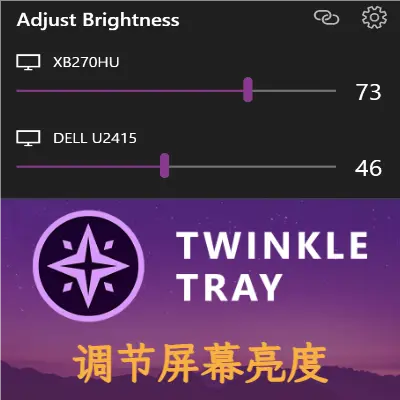
为你的显示器调节亮度:Twinkle Tray 本文作者:爱拼安小匠转载地址:https://sspai.com/post/88863调节屏幕亮度,是笔记本电脑用户的刚需,在白天和黑夜、室内和室外,以不同的亮度适应不同的环境。而像我这样的台式机用户,也会有调节亮度的刚需。显示器默认亮度很刺眼,我想把显示器调暗;夜间工作时我也想让屏幕暗一些,天亮了再调回去。对于笔记本用户来说,一切很简单:只需按下指定的快捷键即可,这一特性在多个主流系统中都能得到支持。然而使用Windows台式机的我,就没那么幸运了:操作系统并没有为台式机显示器亮度提供任何原生调节功能,只能“退而求其次”,去折腾显示器的OSD菜单。幸运的是,亮度调节软件 Twinkle Tray 的诞生,补齐了这一短板,从此再也不用忍受24小时始终刺眼的亮度,使台式机用户享受到分外便捷的亮度调节体验。Twinkle Tray 简介Twinkle Tray 是由 Alexander "Xander" Frangos 开发的一款屏幕亮度调节工具,适用于 Windows。它原本是为使用多显示器的用户而打造,因为 Windows 不支持调整外接显示器的亮度,且 Windows 10 和 11也缺乏管理多显示器亮度的功能。Twinkle Tray 的诞生,直击这两处痛点。另一方面,对于我这样的单显示器台式机用户,Twinkle Tray 同样适用。即使计算机只安装一台显示器,Twinkle Tray 也不会懈怠,依然提供完备的亮度调整功能。Twinkle Tray 基于 DDC/CI(显示数据通道命令接口,Display Data Channel Command Interface)来调节显示器。基于此,软件可直接控制显示器的亮度、对比度、电源开关,不需要再去摆弄显示器上的 OSD 按键。大部分的主流显示器都支持这一特性,通常不用担心兼容性问题。安装使用 Windows 自带的 Microsoft Store,搜索“Twinkle Tray”,即可安装。这是首推的安装方式。直接在 Microsoft Store 中安装。你也可以在官方网站下载安装包。补充:Github项目地址:https://github.com/xanderfrangos/twinkle-tray安装完成后运行,任务栏托盘就会出现一个“小星星”的图标,这就是 Twinkle Tray 的本体。高亮的就是Twinkle Tray的图标。调节亮度点击托盘中的 Twinkle Tray 图标,就会打开亮度调节的界面。这里会列出你电脑中安装的显示器,每台显示器都有对应的亮度滑块。Twinkle Tray 的亮度调节界面。我只安装了一台显示器。笔者使用的是雕塑家(Sculptor)的18.5英寸便携屏,默认亮度下,即使是大白天也有些炫目。我直接拖动滑块,将亮度调整到20,此时屏幕奇迹般地暗了下来,光线变得柔和、舒适。调节过程的体验,和手上的 ThinkPad R400 等笔记本一致。与此同时,你还可以在这里关闭显示器,只需点击齿轮图标左侧的图标即可。值得一提的是,界面的风格与 Windows 原生的面板是和谐、统一的,不会让你有突兀的感觉。背景颜色与壁纸的风格一致,有淡淡的云母模糊效果,非常养眼。设置快捷键每次都点开托盘图标调亮度,久而久之未免有些繁琐。对此,你可以在 Twinkle Tray 中设置亮度调节的全局快捷键。右击 Twinkle Tray 的托盘图标,选择【设置】,打开设置界面。然后,点击左侧的【快捷键】选项卡,如图所示:快捷键设置界面。在这里,你可以为所有显示器指定快捷键,一键调亮、调暗显示器,甚至一键关闭所有显示器。只需点击相应的文本框,然后按下你要绑定的快捷键,即可。例如,笔者习惯按“Win+Page Up”调高亮度,按“Win+Page Down”调低亮度(这是借鉴了F.lux调节显示器亮度的键位),就如上图所示指定快捷键。按下快捷键后,屏幕上就会出现亮度调整的提示,其风格与 Windows 原生的亮度提示是一致的:Twinkle Tray 的亮度调整提示。如果你安装了多台显示器,想要分别调整亮度,那么 Twinkle Tray 也会在这里列出所有显示器,允许你为每台显示器指定不同的快捷键。这对于多显示器玩家可谓是利好:笔者自己在别处使用多台显示器时,时常要根据不同屏幕的内容来设置亮度,如此指定快捷键即可事半功倍。小贴士:每次按快捷键时,亮度变化的幅度为10%。如果你希望 Twinkle Tray 调节得更细致,可以向下拉,找到“亮度级别调整”滑块,调节变化幅度为你理想的值。调节亮度变化幅度的滑块。增加额外的控制项:对比度、音量与电源Twinkle Tray 不仅仅可以调节亮度,还可以借由 DDC/CI,调节显示器的对比度和音量,甚至直接关闭显示器——这种方法等同于按下显示器的电源键。这一特性需要手动启用。在 Twinkle Tray 的“设置”窗口中,点击左侧【DDC/CI功能】标签。然后,你可以给每台显示器分别启用“对比度”、“音量”(显示为“数值”)与“电源状态”的 DDC/CI 功能支持。打开这些选项后,亮度调整面板里就会多出相应的控制项,如下图所示:注意对比前文“调节亮度”章节里的截图。面板中,三个滑杆依次为:亮度、对比度、音量。对我来说,最实用的莫过于“音量”滑杆。我这台雕塑家便携屏自带喇叭,可以播放 HDMI 的音频,但是它的OSD 按钮操作非常不顺手,调节音量很麻烦。幸好,Twinkle Tray 为我分了忧。右上角的“关机”会通过 DDC/CI 来关闭显示器。其实 Twinkle Tray 已经提供了一种关闭显示器的方法,也就是点击“齿轮”图标左侧的按钮——这只是让显示器进入节能模式,挪挪鼠标、敲敲键盘就能唤醒。然而,DDC/CI 这一招,做得更加“彻底”:相当于直接按显示器的电源键,切断显示器电源。注意:慎用 DDC/CI 关闭显示器的功能,因为有的显示器可能不兼容,导致显示器无响应。定时调整在日间和夜间,甚至一天的不同时候,你或许会有不同的亮度需求。除了手动调节亮度,你还可以采用更为“潜移默化”的方式,那就是运用 Twinkle Tray 提供的“定时调整”功能。打开 Twinkle Tray 的设置,点击左侧【定时调整】标签。在这里,点击【添加时间点】按钮,你可以指定不止两个时间点,为每个时间点设置不同的亮度。这,超越了诸多软件(如 F.lux)仅支持昼夜调整的局限性,让你更为灵活地定制自己的亮度调整方案。默认情况下,Twinkle Tray 会同时为所有显示器调整亮度。但是,若你配备了多台显示器,则可以打开下方的【设置每个显示器的亮度】开关,允许你为每台显示器单独设置定时调整方案。打开“设置每个显示器的亮度”开关后,原本的“所有显示器”字样就变成了显示器的名字。此外,如果你希望亮度的调节过程缓慢些、柔和些,不妨打开选项【时间之前的动画】,并配置【亮度调整速度】。这是一个很贴心的功能,毕竟瞬间的亮度变化可能会让眼睛一时间无法适应。排查错误即使 Twinkle Tray 开箱即用,在有些设备和显示器上也可能无法按预期工作。以下是使用 Twinkle Tray 时,容易遇到的几个问题。检测是否开机自启为了保证无缝的亮度调节体验,Twinkle Tray 最好设置为开机自启动。通常,从 Microsoft Store 安装的 Twinkle Tray,默认已经配置好了开机自启。你可以打开任务管理器,在“启动”页面中检查是否有 Twinkle Tray 的启动项。如果是禁用状态,则右击该启动项,选择“启用”。亮度值不同步有的时候,用户可能会手动通过 OSD 菜单来调节显示器亮度。此时如果再使用 Twinkle Tray 调节亮度,可能会因亮度值不同步而导致异常,例如亮度骤变、亮度值不准确等。此时,请检查 Twinkle Tray 设置中,【DDC/CI功能】页面中的【获取当前亮度值】是否打开。该选项会在每次开始调节亮度时,即时从显示器上获取亮度值,从而改善使用体验。另一方面,【通用】页面中的【启动时调整亮度】也最好打开,保证 Twinkle Tray 在启动时能重新应用上次调整的亮度。否则每次开机时,亮度会恢复到初始设置。检测显示器是否支持 DDC/CI如果 Twinkle Tray 无法设置亮度,则需要检查显示器是否能正常使用 DDC/CI 功能。打开 Twinkle Tray 设置中的【DDC/CI功能】页面,确保“Communication Method”右侧有绿色的对勾,若有则说明显示器支持 DDC/CI。事实上,不必过于担心兼容性问题。我家里诞生于2008年的 Dell E198WFP 显示器就已经支持 DDC/CI 了,何况是后起之秀。有待完善的地方诚然 Twinkle Tray 已经可以独当一面,它依然存在提升空间。笔者认为,最大的问题在于:它是用 Electron 框架编写的。运用 Electron,开发团队可以打造符合Fluent Design 的优雅界面,但代价是软件体积庞大(安装目录≈290 MB),占用内存略高(在笔者的电脑上,占用≈148 MB)。小小一款实用工具,用如此重量级的框架,未免有些“失衡”。Electron 的“硬伤”无法避免,但开发团队做足了优化:Twinkle Tray 后台处理器占用极少,大部分时候处理器“零占用”,你几乎感受不到它的存在。后续若开发团队能采用更轻巧的框架,例如 Tauri、Qt,相信体验会更上一层楼。写在最后Twinkle Tray 的诞生,填补了 Windows 系统不支持台式机显示器亮度调节的空白,化繁为简,极大改善了台式机用户的体验。从此,我不必24小时忍受100%显示器亮度的“轰炸”,也不必在迷宫一样的 OSD 菜单里调节设置,只需一组快捷键、一组滑杆,调节亮度原来可以这么简单。相信 Twinkle Tray 也能帮到你。【END】
-
【WordPress】美化汇总 前言收集网上关于 WordPress 的实用美化技巧,便于后续使用查询。Argon 主题Argon 主题官方的参考文档E家分享的 Argon 主题设置耗时及占用内存在 footer.php 的 </footer> 标签之前加入代码:<!--耗时及占用内存开始--> <span id="momk"></span><span id="momk" style="color: #ff0000;"></span> <script type="text/javascript"> function NewDate(str) { str = str.split('-'); var date = new Date(); date.setUTCFullYear(str[0], str[1] - 1, str[2]); date.setUTCHours(0, 0, 0, 0); return date; } function momxc() { var birthDay =NewDate("2022-04-10"); var today=new Date(); var timeold=today.getTime()-birthDay.getTime(); var sectimeold=timeold/1000 var secondsold=Math.floor(sectimeold); var msPerDay=24*60*60*1000; var e_daysold=timeold/msPerDay; var daysold=Math.floor(e_daysold); var e_hrsold=(daysold-e_daysold)*-24; var hrsold=Math.floor(e_hrsold); var e_minsold=(hrsold-e_hrsold)*-60; var minsold=Math.floor((hrsold-e_hrsold)*-60); var seconds=Math.floor((minsold-e_minsold)*-60).toString(); document.getElementById("momk").innerHTML = "本站已安全运行:"+daysold+"天"+hrsold+"小时"+minsold+"分"+seconds+"秒<br>"; setTimeout(momxc, 1000); }momxc(); </script> <style> #momk @keyframes change25%50%75%100% } </style> <?php printf(' | 耗时 %.3f 秒 | 查询 %d 次 | 内存 %.2f MB |',timer_stop( 0, 3 ),get_num_queries(),memory_get_peak_usage() / 1024 / 1024);?><br> <!--耗时及占用内存结束-->运行时间、耗时及占用内存在 footer.php 的 </footer> 标签之前加入代码:var birthDay =NewDate("2020-03-12");,修改成自己网站的创建时间即可。<!--耗时及占用内存开始--> <span id="momk"></span><span id="momk" style="color: #ff0000;"></span> <script type="text/javascript"> function NewDate(str) { str = str.split('-'); var date = new Date(); date.setUTCFullYear(str[0], str[1] - 1, str[2]); date.setUTCHours(0, 0, 0, 0); return date; } function momxc() { <!--这里要改成自己博客的诞生时间--> var birthDay =NewDate("2020-03-12"); var today=new Date(); var timeold=today.getTime()-birthDay.getTime(); var sectimeold=timeold/1000 var secondsold=Math.floor(sectimeold); var msPerDay=24*60*60*1000; var e_daysold=timeold/msPerDay; var daysold=Math.floor(e_daysold); var e_hrsold=(daysold-e_daysold)*-24; var hrsold=Math.floor(e_hrsold); var e_minsold=(hrsold-e_hrsold)*-60; var minsold=Math.floor((hrsold-e_hrsold)*-60); var seconds=Math.floor((minsold-e_minsold)*-60).toString(); document.getElementById("momk").innerHTML = "本站已安全运行:"+daysold+"天"+hrsold+"小时"+minsold+"分"+seconds+"秒<br>"; setTimeout(momxc, 1000); }momxc(); </script> <style> #momk @keyframes change25%50%75%100% } </style> <?php printf(' | 耗时 %.3f 秒 | 查询 %d 次 | 内存 %.2f MB |',timer_stop( 0, 3 ),get_num_queries(),memory_get_peak_usage() / 1024 / 1024);?><br> <!--耗时及占用内存结束-->鼠标文字特效在 footer.php 的 </body> 标签之前加入代码:<!--鼠标特效开始--> <script type="text/javascript"> var a_idx = 0; jQuery(document).ready(function($) { $("body").click(function(e) { var a = new Array("❤富强❤", "❤民主❤", "❤文明❤", "❤和谐❤", "❤自由❤", "❤平等❤", "❤公正❤", "❤法治❤", "❤爱国❤", "❤敬业❤", "❤诚信❤", "❤友善❤"); var $i = $("<span/>").text(a[a_idx]); a_idx = (a_idx + 1) % a.length; var x = e.pageX, y = e.pageY; $i.css({ "z-index": 999999999999999999999999999999999999999999999999999999999999999999999, "top": y - 20, "left": x, "position": "absolute", "font-weight": "bold", "color": "#ff6651" }); $("body").append($i); $i.animate({ "top": y - 180, "opacity": 0 }, 1500, function() { $i.remove(); }); }); }); </script> <!--鼠标特效结束-->鼠标指针特效之影相随在 footer.php 的 </body> 标签之前加入代码:<!--鼠标样式:两个同心圆,大圆追小圆--> <style type="text/css"> #cursor #cursor.hidden #cursor.hover #cursor.active #clickME </style> <script src="https://cdn.jsdelivr.net/gh/huangwb8/bloghelper@latest/js/cursor_01.js"></script> <!--鼠标样式结束-->鼠标指针特效之仙女棒在 footer.php 的 </body> 标签之前加入代码:<!--全页特效开始--> <script src="https://cdn.jsdelivr.net/gh/huangwb8/bloghelper@latest/js/mobile-detect.js"></script> <script type="text/javascript"> // 设备检测 var md = new MobileDetect(window.navigator.userAgent); // PC生效,手机/平板不生效 // md.mobile(); md.phone(); if(!md.phone()){ if(!md.tablet()){ // 雪花 // $.getScript("https://cdn.jsdelivr.net/gh/huangwb8/bloghelper@latest/js/xiaxue.js"); // 樱花 // $.getScript("https://cdn.jsdelivr.net/gh/huangwb8/bloghelper@latest/js/yinghua.js"); // 小烟花特效 // $.getScript("https://cdn.jsdelivr.net/gh/huangwb8/bloghelper@latest/js/mouse-click.js"); // 大烟花特效 // $.getScript("https://cdn.jsdelivr.net/gh/huangwb8/bloghelper@latest/mouse/mouse-click-02/mouse-canvas.js"); // document.write('<style>#mouse-canvas </style>') // 鼠标移动的仙女棒特效 // $.getScript("https://bensz.onmicrosoft.cn/bloghelper/mouse/halo-dream/fairyDustCursor.min.js"); // 鼠标移动的泡泡特效 // $.getScript("https://bensz.onmicrosoft.cn/bloghelper/mouse/joe/censor10.js"); } } </script> <!--全页特效结束-->文字输入撒花特效在 footer.php 的 </body> 标签之前加入代码:<!--网站输入效果开始--> <script src="https://cdn.jsdelivr.net/gh/huangwb8/bloghelper@latest/js/input-with-fire.js"></script>font awesome v6v6 有一些特别的图标。在 footer.php 里添加以下 css:<link rel="stylesheet" href="https://cdnjs.cloudflare.com/ajax/libs/font-awesome/6.2.0/css/fontawesome.min.css">在这里搜索图标:https://fontawesome.com/search 。与 v4 版本相比有很多新的图标。额外CSS额外CSS一般用于增加一些自定义样式,比较改大某些字体的属性(大小、颜色)。这里修改的好处就是主题切换、升级时,该设置也不会丢失。/*=========字体设置============*/ /*网站字体*/ /*原则上你可以设置多个字体,然后在不同的部位使用不同的字体。*/ @font-face{ font-family:btfFont; src: url(https://cdn.jsdelivr.net/gh/huangwb8/bloghelper@latest/fonts/13.woff2) format('woff2') } body{ font-family:"btfFont" !important } /*设置加粗字体颜色*/ strong { /*白天*/ color: #A7727D; } html.darkmode strong { /*夜晚*/ color: #FAAB78; } /*说说预览模式的代码字体颜色*/ pre { /*白天*/ color: #A7727D; } html.darkmode pre { /*夜晚*/ color: #FAAB78; } /*横幅字体大小*/ .banner-title { font-size: 2.5em; } .banner-subtitle{ font-size: 20px; } /*文章标题字体大小*/ .post-title { font-size: 30px } /*正文字体大小(不包含代码)*/ .post-content p{ font-size: 1.25rem; } li{ font-size: 1.2rem; } /*评论区字体大小*/ p { font-size: 1.2rem } /*评论发送区字体大小*/ .form-control{ font-size: 1.2rem } /*评论勾选项目字体大小*/ .custom-checkbox .custom-control-input~.custom-control-label{ font-size: 1.2rem } /*评论区代码的强调色*/ code { color: rgba(var(--themecolor-rgbstr)); } /*说说字体大小和颜色设置*/ .shuoshuo-title { font-size: 25px; /* color: rgba(var(--themecolor-rgbstr)); */ } /*尾注字体大小*/ .additional-content-after-post{ font-size: 1.2rem } /*========颜色设置===========*/ /*文章或页面的正文颜色*/ body{ color:#364863 } /*引文属性设置*/ blockquote { /*添加弱主题色为背景色*/ background: rgba(var(--themecolor-rgbstr), 0.1) !important; width: 100% } /*引文颜色 建议用主题色*/ :root { /*也可以用类似于--color-border-on-foreground-deeper: #009688;这样的命令*/ --color-border-on-foreground-deeper: rgba(var(--themecolor-rgbstr)); } /*左侧菜单栏突出颜色修改*/ .leftbar-menu-item > a:hover, .leftbar-menu-item.current > a{ background-color: #f9f9f980; } /*站点概览分隔线颜色修改*/ .site-state-item{ border-left: 1px solid #aaa; } .site-friend-links-title { border-top: 1px dotted #aaa; } #leftbar_tab_tools ul li { padding-top: 3px; padding-bottom: 3px; border-bottom:none; } html.darkmode #leftbar_tab_tools ul li { border-bottom:none; } /*左侧栏搜索框的颜色*/ button#leftbar_search_container { background-color: transparent; } /*========透明设置===========*/ /*白天卡片背景透明*/ .card{ background-color:rgba(255, 255, 255, 0.85) !important; /*backdrop-filter:blur(6px);*//*毛玻璃效果主要属性*/ -webkit-backdrop-filter:blur(6px); } /*小工具栏背景完全透明*/ /*小工具栏是card的子元素,如果用同一个透明度会叠加变色,故改为完全透明*/ .card .widget,.darkmode .card .widget,#post_content > div > div > div.argon-timeline-card.card.bg-gradient-secondary.archive-timeline-title{ background-color:#ffffff00 !important; backdrop-filter:none; -webkit-backdrop-filter:none; } .emotion-keyboard,#fabtn_blog_settings_popup{ background-color:rgba(255, 255, 255, 0.95) !important; } /*分类卡片透明*/ .bg-gradient-secondary{ background:rgba(255, 255, 255, 0.1) !important; backdrop-filter: blur(10px); -webkit-backdrop-filter:blur(10px); } /*夜间透明*/ html.darkmode.bg-white,html.darkmode .card,html.darkmode #footer{ background:rgba(66, 66, 66, 0.9) !important; } html.darkmode #fabtn_blog_settings_popup{ background:rgba(66, 66, 66, 0.95) !important; } /*标签背景 .post-meta-detail-tag { background:rgba(255, 255, 255, 0.5)!important; }*/ /*========排版设置===========*/ /*左侧栏层级置于上层*/ #leftbar_part1 { z-index: 1; } /*分类卡片文本居中*/ #content > div.page-information-card-container > div > div{ text-align:center; } /*子菜单对齐及样式调整*/ .dropdown-menu .dropdown-item>i{ width: 10px; } .dropdown-menu>a { color:var(--themecolor); } .dropdown-menu{ min-width:max-content; } .dropdown-menu .dropdown-item { padding: .5rem 1.5rem 0.5rem 1rem; } .leftbar-menu-subitem{ min-width:max-content; } .leftbar-menu-subitem .leftbar-menu-item>a{ padding: 0rem 1.5rem 0rem 1rem; } /*左侧栏边距修改*/ .tab-content{ padding:10px 0px 0px 0px !important; } .site-author-links{ padding:0px 0px 0px 10px ; } /*目录位置偏移修改*/ #leftbar_catalog{ margin-left: 0px; } /*目录条目边距修改*/ #leftbar_catalog .index-link{ padding: 4px 4px 4px 4px; } /*左侧栏小工具栏字体缩小*/ #leftbar_tab_tools{ font-size: 14px; } /*正文图片边距修改*/ article figure /*正文图片居中显示*/ .fancybox-wrapper { margin: auto; } /*正文表格样式修改*/ article table > tbody > tr > td, article table > tbody > tr > th, article table > tfoot > tr > td, article table > tfoot > tr > th, article table > thead > tr > td, article table > thead > tr > th{ padding: 8px 10px; border: 1px solid; } /*表格居中样式*/ .wp-block-table.aligncenter /*回顶图标放大*/ button#fabtn_back_to_top, button#fabtn_go_to_comment, button#fabtn_toggle_blog_settings_popup, button#fabtn_toggle_sides, button#fabtn_open_sidebar{ font-size: 1.2rem; } /*顶栏菜单*/ /*这里也可以设置刚刚我们设置的btfFont字体。试试看!*/ .navbar-nav .nav-link { font-size: 1.2rem; font-family: 'btfFont'; } .nav-link-inner--text { /*顶栏菜单字体大小*/ font-size: 1.2rem; } .navbar-nav .nav-item { margin-right:0; } .mr-lg-5, .mx-lg-5 { margin-right:1rem !important; } .navbar-toggler-icon { width: 1.5rem; height: 1.5rem; } .navbar-expand-lg .navbar-nav .nav-link { padding-right: 0.9rem; padding-left: 1rem; } /*顶栏图标*/ .navbar-brand { font-family: 'Noto Serif SC',serif; font-size: 1.25rem; /*顶栏图标边界微调*/ margin-right: 0rem; /*左右偏移*/ padding-bottom: 0.3rem; } .navbar-brand img { /* 图片高度*/ height: 24px; } /*隐藏wp-SEO插件带来的线条阴影(不一定要装)*/ *[style='position: relative; z-index: 99998;'] { display: none; } /*网站黑白色(悼念)- 额外CSS的最底部(否则容易和其它CSS代码冲突)*/ html { filter: grayscale(100%); -webkit-filter: grayscale(100%); -moz-filter: grayscale(100%); -ms-filter: grayscale(100%); -o-filter: grayscale(100%); filter: url("data:image/svg+xml;utf8,#grayscale"); filter:progid:DXImageTransform.Microsoft.BasicImage(grayscale=1); -webkit-filter: grayscale(1); }Twenty Twelve 木头人修改精简版项目地址:https://github.com/huhexian/2012-huhexian在 style.css 中加入样式代码:标签云/* 标签云样式修改 */ .tagcloud { overflow:hidden; line-height:20px; } .tagcloud a { font-size: 13px!important; padding: 3px; margin-right: 3px; float: left; display: block; } .tagcloud a:not(.dots):hover { background-color: #336699; color: #FFFFFF; border:0; }引用/*引用*/ .entry-content blockquote, .comment-content blockquote { background-image: url(data:image/svg+xml;base64,PD94bWwgdmVyc2lvbj0iMS4wIiBzdGFuZGFsb25lPSJubyI/PjwhRE9DVFlQRSBzdmcgUFVCTElDICItLy9XM0MvL0RURCBTVkcgMS4xLy9FTiIgImh0dHA6Ly93d3cudzMub3JnL0dyYXBoaWNzL1NWRy8xLjEvRFREL3N2ZzExLmR0ZCI+PHN2ZyB0PSIxNTg1NTQxNjE3MDQ5IiBjbGFzcz0iaWNvbiIgdmlld0JveD0iMCAwIDEwMjQgMTAyNCIgdmVyc2lvbj0iMS4xIiB4bWxucz0iaHR0cDovL3d3dy53My5vcmcvMjAwMC9zdmciIHAtaWQ9IjM3MTgiIHdpZHRoPSIzMiIgaGVpZ2h0PSIzMiIgeG1sbnM6eGxpbms9Imh0dHA6Ly93d3cudzMub3JnLzE5OTkveGxpbmsiPjxkZWZzPjxzdHlsZSB0eXBlPSJ0ZXh0L2NzcyI+PC9zdHlsZT48L2RlZnM+PHBhdGggZD0iTTQwNi41NTcyNTcgMTE4LjUzNTMxNHYxMzcuOTAzNTQzYy04Ny4xNDI0IDE5Ljk1MzM3MS0xMjguODkyMzQzIDc0LjQ3NDA1Ny0xMzQuMzYzNDI4IDE3Ni4wMTA5NzJoMTM0LjM2MzQyOHYzMjYuNzQzNzcxSDExNC4yOTMwMjlWNDkwLjUxMDYyOWMwLTE5NC4xNzk2NTcgODMuNDk5ODg2LTM0My4wMTA3NDMgMjkyLjI2NDIyOC0zNzEuOTc1MzE1bTAtNTguNTE0Mjg1Yy0yLjY3NzAyOSAwLTUuMzU0MDU3IDAuMTkwMTcxLTguMDQ1NzE0IDAuNTU1ODg1QzE3Ny41MDMwODYgOTEuMjM4NCA1NS43Nzg3NDMgMjQzLjkzMTQyOSA1NS43Nzg3NDMgNDkwLjUxMDYyOXYyNjguNjY4MzQyYTU4LjUxNDI4NiA1OC41MTQyODYgMCAwIDAgNTguNTE0Mjg2IDU4LjUxNDI4NmgyOTIuMjY0MjI4YTU4LjUxNDI4NiA1OC41MTQyODYgMCAwIDAgNTguNTE0Mjg2LTU4LjUxNDI4NlY0MzIuNDQ5ODI5YTU4LjUxNDI4NiA1OC41MTQyODYgMCAwIDAtNTguNTE0Mjg2LTU4LjUxNDI4NmgtNjQuNTI2NjI4YzE0LjQ1MzAyOS0zNy42MTAwNTcgNDEuNDI4MTE0LTUyLjE4MDExNCA3Ny41ODk5NDItNjAuNDU5ODg2YTU4LjUxNDI4NiA1OC41MTQyODYgMCAwIDAgNDUuNDUwOTcyLTU3LjAzNjhWMTE4LjUzNTMxNGE1OC41MTQyODYgNTguNTE0Mjg2IDAgMCAwLTU4LjUxNDI4Ni01OC41MTQyODV6TTkwOS43MDY5NzEgMjY0LjgyMTAyOXYxMzcuOTAzNTQyYy04Ny4xMTMxNDMgMTkuOTUzMzcxLTEyOC44NjMwODYgNzQuNDc0MDU3LTEzNC4zMzQxNzEgMTc2LjAxMDk3MmgxMzQuMzM0MTcxdjMyNi43NDM3NzFINjE3LjQ0Mjc0M1Y2MzYuNzk2MzQzYzAtMTk0LjE3OTY1NyA4My41MTQ1MTQtMzQzLjAxMDc0MyAyOTIuMjY0MjI4LTM3MS45NzUzMTRtMC01OC41MTQyODZjLTIuNjc3MDI5IDAtNS4zNTQwNTcgMC4xOTAxNzEtOC4wNDU3MTQgMC41NTU4ODYtMjIxLjAwODQ1NyAzMC42NzYxMTQtMzQyLjczMjggMTgzLjM1NDUxNC0zNDIuNzMyOCA0MjkuOTQ4MzQydjI2OC42NjgzNDNhNTguNTE0Mjg2IDU4LjUxNDI4NiAwIDAgMCA1OC41MTQyODYgNTguNTE0Mjg2aDI5Mi4yNjQyMjhhNTguNTE0Mjg2IDU4LjUxNDI4NiAwIDAgMCA1OC41MTQyODYtNTguNTE0Mjg2VjU3OC43MzU1NDNhNTguNTE0Mjg2IDU4LjUxNDI4NiAwIDAgMC01OC41MTQyODYtNTguNTE0Mjg2aC02NC40OTczNzFjMTQuNDUzMDI5LTM3LjYxMDA1NyA0MS40MTM0ODYtNTIuMTgwMTE0IDc3LjU3NTMxNC02MC40NTk4ODZhNTguNTE0Mjg2IDU4LjUxNDI4NiAwIDAgMCA0NS40MzYzNDMtNTcuMDM2OHYtMTM3LjkwMzU0MmE1OC41NDM1NDMgNTguNTQzNTQzIDAgMCAwLTU4LjUxNDI4Ni01OC41MTQyODZ6IiBmaWxsPSIjY2YzZjc0IiBwLWlkPSIzNzE5Ij48L3BhdGg+PHBhdGggZD0iTTM1OS42MTQxNzEgNjY2LjU1MDg1N2ExNC42Mjg1NzEgMTQuNjI4NTcxIDAgMCAxLTE0LjYyODU3MS0xNC42Mjg1NzFWNDkxLjI3MTMxNGgtNjguMDgxMzcxYTE0LjYyODU3MSAxNC42Mjg1NzEgMCAxIDEgMC0yOS4yNTcxNDNoODcuNzcxNDI4YzguMDg5NiAwIDkuNTY3MDg2IDYuMjkwMjg2IDkuNTY3MDg2IDE0LjM2NTI1OHYxNzUuNTQyODU3YTE0LjYyODU3MSAxNC42Mjg1NzEgMCAwIDEtMTQuNjI4NTcyIDE0LjYyODU3MXpNODcxLjYxNDE3MSA4NDIuMDkzNzE0YTE0LjYyODU3MSAxNC42Mjg1NzEgMCAwIDEtMTQuNjI4NTcxLTE0LjYyODU3MXYtMjkuMjU3MTQzYTE0LjYyODU3MSAxNC42Mjg1NzEgMCAxIDEgMjkuMjU3MTQzIDB2MjkuMjU3MTQzYTE0LjYyODU3MSAxNC42Mjg1NzEgMCAwIDEtMTQuNjI4NTcyIDE0LjYyODU3MXpNODcxLjYxNDE3MSA3NTQuMzIyMjg2YTE0LjYyODU3MSAxNC42Mjg1NzEgMCAwIDEtMTQuNjI4NTcxLTE0LjYyODU3MnYtMTAyLjEzNjY4NWgtNjguMDgxMzcxYTE0LjYyODU3MSAxNC42Mjg1NzEgMCAxIDEgMC0yOS4yNTcxNDNoODcuNzcxNDI4YzguMDg5NiAwIDkuNTY3MDg2IDYuMjkwMjg2IDkuNTY3MDg2IDE0LjM2NTI1N3YxMTcuMDI4NTcxYTE0LjYyODU3MSAxNC42Mjg1NzEgMCAwIDEtMTQuNjI4NTcyIDE0LjYyODU3MnoiIGZpbGw9IiNjZjNmNzQiIHAtaWQ9IjM3MjAiPjwvcGF0aD48L3N2Zz4=); background-repeat: no-repeat; color: rgba(0,0,0,.7); margin-top: 0; margin-bottom: 15px; margin-left: 0; margin-right: 0; padding: 20px 20px 20px 60px; position: relative;}头像转动/*头像转动*/ .avatar .avatar:hover调整网页宽度/* 网页宽度 */ .site { margin: 0 auto; max-width: 960px; overflow: hidden; } html { margin-top: 32px !important; }小工具及首页文章标题下划线/* 小工具标题字体样式以及下横线 */ .widget-title { font-size: 18px; font-weight: normal; color: #21759b; border-bottom: 1px solid #ededed; } /* 首页文章标题行高以及下横线 */ .entry-header .entry-title { line-height: 2.181818182; border-bottom: 1px solid #ededed; }二级、三级标题样式/*标题样式*/ .entry-content h2, .comment-content h2, .mu_register h2 { font-weight: bold; background-color: #f6f6f6; margin: 20px 0; border-bottom: 0px solid #21759b; padding: 5px 12px; border-left: 5px solid #21759b; } .entry-content h3, .comment-content h3, .mu_register h3 { font-weight: bold; background-color: #f6f6f6; margin: 20px 0; border-bottom: 0px solid #53a7dc; padding: 0px 12px; border-left: 5px solid #53a7dc; }归档页面样式修改#archives { position: relative; } #archives h3 { margin-bottom: 0; padding: 0 15px; border-bottom: 1px solid #ddd; font-size: 20px; font-weight: 400; text-align: center; letter-spacing: 5px } #archives ul { list-style: none; margin: 0 30px; padding: 10px 0 20px 10px; border-left: 1px solid #ddd; font-size: 18px } #archives li { list-style: none; position: relative; line-height: 30px } #archives ul ul { margin: -15px 0 0 0; padding: 15px 0 10px 0 } #archives ul ul li { padding: 0 0 0 15px } #archives ul ul li:before { content: ""; position: absolute; left: 0; top: 10px; border-top: 5px dashed transparent; border-bottom: 5px dashed transparent; border-left: 10px solid #ddd } #al_expand_collapse { display: inline-block; line-height: 24px; padding: 0 10px; color: #fff; font-size: 12px; text-decoration: none; background: linear-gradient(to bottom, #4caf50 20%, #388e3c 80%) repeat scroll 0 0 transparent;/*这个颜色和下面的我都做了一些修改*/ background: -webkit-linear-gradient(to bottom, #4caf50 20%, #388e3c 80%) repeat scroll 0 0 transparent } #al_expand_collapse:hover { background: linear-gradient(to bottom, #388e3c 20%, #4caf50 80%) repeat scroll 0 0 transparent; background: -webkit-linear-gradient(to bottom, #388e3c 20%, #4caf50 80%) repeat scroll 0 0 transparent } #archives em { padding-left: 5px; font-size: 12px; color: #777 } #archives .al_mon { padding-left: 5px; font-size: 14px; font-weight: 700 } #archives .al_mon:after { content: ""; position: absolute; left: -10px; top: 15px; width: 10px; height: 1px; background: #ddd } #archives .al_mon em { font-size: 12px; font-weight: 400 }添加面包屑导航在 functions.php 中加入下列代码:// 面包屑导航 function breadcrumb() { // Check if is front/home page, return if ( is_front_page() ) { return; } // Define global $post; $custom_taxonomy = ''; // If you have custom taxonomy place it here $defaults = array( 'seperator' => ' / ', 'id' => 'breadcrumb', 'classes' => 'breadcrumb', 'home_title' => esc_html__( '⚐ Home', '' ) ); $sep = '<li class="seperator">'. esc_html( $defaults['seperator'] ) .'</li>'; // Start the breadcrumb with a link to your homepage echo '<ul id="'. esc_attr( $defaults['id'] ) .'" class="'. esc_attr( $defaults['classes'] ) .'">'; // Creating home link echo '<li class="item"><a href="'. get_home_url() .'">'. esc_html( $defaults['home_title'] ) .'</a></li>' . $sep; if ( is_single() ) { // Get posts type $post_type = get_post_type(); // If post type is not post if( $post_type != 'post' ) { $post_type_object = get_post_type_object( $post_type ); $post_type_link = get_post_type_archive_link( $post_type ); echo '<li class="item item-cat"><a href="'. $post_type_link .'">'. $post_type_object->labels->name .'</a></li>'. $sep; } // Get categories $category = get_the_category( $post->ID ); // If category not empty if( !empty( $category ) ) { // Arrange category parent to child $category_values = array_values( $category ); $get_last_category = end( $category_values ); // $get_last_category = $category[count($category) - 1]; $get_parent_category = rtrim( get_category_parents( $get_last_category->term_id, true, ',' ), ',' ); $cat_parent = explode( ',', $get_parent_category ); // Store category in $display_category $display_category = ''; foreach( $cat_parent as $p ) { $display_category .= '<li class="item item-cat">'. $p .'</li>' . $sep; } } // If it's a custom post type within a custom taxonomy $taxonomy_exists = taxonomy_exists( $custom_taxonomy ); if( empty( $get_last_category ) && !empty( $custom_taxonomy ) && $taxonomy_exists ) { $taxonomy_terms = get_the_terms( $post->ID, $custom_taxonomy ); $cat_id = $taxonomy_terms[0]->term_id; $cat_link = get_term_link($taxonomy_terms[0]->term_id, $custom_taxonomy); $cat_name = $taxonomy_terms[0]->name; } // Check if the post is in a category if( !empty( $get_last_category ) ) { echo $display_category; echo '<li class="item item-current">'. get_the_title() .'</li>'; } else if( !empty( $cat_id ) ) { echo '<li class="item item-cat"><a href="'. $cat_link .'">'. $cat_name .'</a></li>' . $sep; echo '<li class="item-current item">'. get_the_title() .'</li>'; } else { echo '<li class="item-current item">'. get_the_title() .'</li>'; } } else if( is_archive() ) { if( is_tax() ) { // Get posts type $post_type = get_post_type(); // If post type is not post if( $post_type != 'post' ) { $post_type_object = get_post_type_object( $post_type ); $post_type_link = get_post_type_archive_link( $post_type ); echo '<li class="item item-cat item-custom-post-type-' . $post_type . '"><a href="' . $post_type_link . '">' . $post_type_object->labels->name . '</a></li>' . $sep; } $custom_tax_name = get_queried_object()->name; echo '<li class="item item-current">'. $custom_tax_name .'</li>'; } else if ( is_category() ) { $parent = get_queried_object()->category_parent; if ( $parent !== 0 ) { $parent_category = get_category( $parent ); $category_link = get_category_link( $parent ); echo '<li class="item"><a href="'. esc_url( $category_link ) .'">'. $parent_category->name .'</a></li>' . $sep; } echo '<li class="item item-current">'. single_cat_title( '', false ) .'</li>'; } else if ( is_tag() ) { // Get tag information $term_id = get_query_var('tag_id'); $taxonomy = 'post_tag'; $args = 'include=' . $term_id; $terms = get_terms( $taxonomy, $args ); $get_term_name = $terms[0]->name; // Display the tag name echo '<li class="item-current item">'. $get_term_name .'</li>'; } else if( is_day() ) { // Day archive // Year link echo '<li class="item-year item"><a href="'. get_year_link( get_the_time('Y') ) .'">'. get_the_time('Y') . '年</a></li>' . $sep; // Month link echo '<li class="item-month item"><a href="'. get_month_link( get_the_time('Y'), get_the_time('m') ) .'">'. get_the_time('M') .'</a></li>' . $sep; // Day display echo '<li class="item-current item">'. get_the_time('jS') .' '. get_the_time('M'). '</li>'; } else if( is_month() ) { // Month archive // Year link echo '<li class="item-year item"><a href="'. get_year_link( get_the_time('Y') ) .'">'. get_the_time('Y') . '年</a></li>' . $sep; // Month Display echo '<li class="item-month item-current item">'. get_the_time('M') .'</li>'; } else if ( is_year() ) { // Year Display echo '<li class="item-year item-current item">'. get_the_time('Y') .'年</li>'; } else if ( is_author() ) { // Auhor archive // Get the author information global $author; $userdata = get_userdata( $author ); // Display author name echo '<li class="item-current item">'. 'Author: '. $userdata->display_name . '</li>'; } else { echo '<li class="item item-current">'. post_type_archive_title() .'</li>'; } } else if ( is_page() ) { // Standard page if( $post->post_parent ) { // If child page, get parents $anc = get_post_ancestors( $post->ID ); // Get parents in the right order $anc = array_reverse( $anc ); // Parent page loop if ( !isset( $parents ) ) $parents = null; foreach ( $anc as $ancestor ) { $parents .= '<li class="item-parent item"><a href="'. get_permalink( $ancestor ) .'">'. get_the_title( $ancestor ) .'</a></li>' . $sep; } // Display parent pages echo $parents; // Current page echo '<li class="item-current item">'. get_the_title() .'</li>'; } else { // Just display current page if not parents echo '<li class="item-current item">'. get_the_title() .'</li>'; } } else if ( is_search() ) { // Search results page echo '<li class="item-current item">Search results for: '. get_search_query() .'</li>'; } else if ( is_404() ) { // 404 page echo '<li class="item-current item">' . 'Error 404' . '</li>'; } // End breadcrumb echo '</ul>'; }然后在 header.php 末尾添加下列代码:<?php// 文章页面添加面包屑导航 if ( function_exists('breadcrumb') ) breadcrumb(); ?>最后在 style.css 中添加样式代码:/* 面包屑导航样式 */ .breadcrumb { font-size: 12px; color: #888; margin:0 auto; } .breadcrumb a { color: #888; } .breadcrumb a:not(.dots):hover { color: #CC0033; } .breadcrumb li { display: inline; line-height:20px; }首页文章标题、正文标题下方添加元素统计每篇文章的字数代码:在 functions.php 文件添加代码。//字数统计 function zm_count_words ($text) { global $post; $output=''; if (empty($text)) { $text = $post->post_content; if (mb_strlen($output, 'UTF-8') < mb_strlen($text, 'UTF-8')) $output .= '<span class="word-count">共' . mb_strlen(preg_replace('/\s/','',html_entity_decode(strip_tags($post->post_content))),'UTF-8') .'字</span>'; return $output; } }打开 content.php,找到以下代码:<?php if ( is_single() ) : ?> <h1 class="entry-title"><?php the_title(); ?></h1> <?php else : ?>然后在 <?php else: ?> 的上面添加以下代码:<p class="meta"><!--文章页标题下标签--> Auth:<?php the_author_nickname(); ?>       Date:<?php echo the_time('Y/m/j'); ?>       Cat:<?php the_category('、'); ?>       Word:<?php echo zm_count_words($text); ?> </p>在 content.php 找到 <footer></footer>,将这两个标签内(包括这两个标签)的所有内容删除,并替换为以下代码:<?php if ( is_single() ) : ?> <footer class="content-foot"><!--文章页脚部显示修改--> <?php the_tags('⚑Tags:','、'); ?>       </footer><!-- .content-foot --> <?php else : ?> <footer class="home-foot"><!--除文章页脚部显示修改--> ◷<?php echo the_time('Y/m/j'); ?>   @<?php the_author_nickname(); ?>   ▤<?php the_category('、'); ?>   ⚑<?php the_tags('','、'); ?> <?php edit_post_link( __( '——编辑', 'twentytwelve-child' ), '<span class="edit-link">', '</span>' ); ?> </footer><!-- .entry-meta --> <?php endif; // is_single() ?>在 style.css 中添加样式代码:/* 文章页标题、meta块、和脚部样式修改 */ #content .title { font-size: 24px; padding-bottom: 24px; text-align: center; } #content .meta { font-size: 13px; padding: 10px 0 10px 0; border: 1px dashed rgba(0, 0, 0, 0.15); text-align: center; letter-spacing: 0.035rem; } #content .content-foot { font-size: 13px; padding: 10px 0 10px 24px; margin: 0 -24px -24px -24px; letter-spacing: 0.035rem; background-color: #ededed; }禁止加载语言包在 functions.php 中加入下列代码://关闭翻译 add_filter('locale', function($locale) { $locale = ( is_admin() ) ? $locale : 'en_US'; return $locale; });为摘要添加“继续阅读”字样在 functions.php 中加入下列代码://为摘要添加继续阅读字样 // Remove the ... from excerpt and change the text function change_excerpt_more() { function new_excerpt_more($more) { // Use .read-more to style the link return '......<span class="read-more"> <a href="' . get_permalink($post->ID) . '"><br/><br/>继续阅读»»»</a></span>'; } add_filter('excerpt_more', 'new_excerpt_more'); } add_action('after_setup_theme', 'change_excerpt_more');页面添加 html 后缀在 functions.php 中加入下列代码://WordPress页面链接添加html后缀 function html_page_permalink() { global $wp_rewrite; if ( !strpos($wp_rewrite->get_page_permastruct(), '.html')){ $wp_rewrite->page_structure = $wp_rewrite->page_structure . '.html'; } } add_action('init', 'html_page_permalink', -1);修改全局字体为“霞鹜文楷”在 header.php 添加下列代码:<!-- Screen version --> <link rel="stylesheet" href="https://npm.elemecdn.com/lxgw-wenkai-screen-webfont@1.1.0/style.css" /> <style> body { /* Screen version */ font-family: "LXGW WenKai Screen", sans-serif; } </style>网站统计小工具在主题目录新建文件 widget-websitestat.php,并添加下列代码:<?php // WordPress统计信息小工具 // 定义小工具的类 EfanWebsitestat class EfanWebsitestat extends WP_Widget{ function __construct(){ // 定义小工具的构造函数 $widget_ops = array('classname' => 'widget_Websitestat', 'description' => '显示网站的统计信息'); // $this->WP_Widget(false, '网站统计', $widget_ops); parent::__construct( false, '网站统计', $widget_ops); } function form($instance){ // 表单函数,控制后台显示 // $instance 为之前保存过的数据 // 如果之前没有数据的话,设置默认量 $instance = wp_parse_args( (array)$instance, array( 'title' => '网站信息统计', 'establish_time' => '2021-01-01' ) ); $title = htmlspecialchars($instance['title']); $establish_time = htmlspecialchars($instance['establish_time']); // 表格布局输出表单 $output = '<table>'; $output .= '<tr><td>标题</td><td>'; $output .= '<input id="'.$this->get_field_id('title') .'" name="'.$this->get_field_name('title').'" type="text" value="'.$instance['title'].'" />'; $output .= '</td></tr><tr><td>建站时间:</td><td>'; $output .= '<input id="'.$this->get_field_id('establish_time') .'" name="'.$this->get_field_name('establish_time').'" type="text" value="'.$instance['establish_time'].'" />'; $output .= '</td></tr></table>'; echo $output; } function update($new_instance, $old_instance){ // 更新数据的函数 $instance = $old_instance; // 数据处理 $instance['title'] = strip_tags(stripslashes($new_instance['title'])); $instance['establish_time'] = strip_tags(stripslashes($new_instance['establish_time'])); return $instance; } function widget($args, $instance){ extract($args); //展开数组 $title = apply_filters('widget_title',empty($instance['title']) ? ' ' : $instance['title']); $establish_time = empty($instance['establish_time']) ? '2021-01-01' : $instance['establish_time']; echo $before_widget; echo $before_title . $title . $after_title; echo '<div class="widgest-boys"><ul>'; $this->efan_get_websitestat($establish_time); echo '</ul></div>'; echo $after_widget; } function efan_get_websitestat($establish_time){ // 相关数据的获取 global $wpdb; $count_posts = wp_count_posts(); $published_posts = $count_posts->publish; $comments_count = $wpdb->get_var("SELECT COUNT(*) FROM $wpdb->comments"); $time = floor((time()-strtotime($establish_time))/86400); $count_tags = wp_count_terms('post_tag'); $count_pages = wp_count_posts('page'); $link = $wpdb->get_var("SELECT COUNT(*) FROM $wpdb->links WHERE link_visible = 'Y'"); $users = $wpdb->get_var("SELECT COUNT(ID) FROM $wpdb->users"); $last = $wpdb->get_results("SELECT MAX(post_modified) AS MAX_m FROM $wpdb->posts WHERE (post_type = 'post' OR post_type = 'page') AND (post_status = 'publish' OR post_status = 'private')"); $last = date('Y-m-d', strtotime($last[0]->MAX_m)); $total_views = $wpdb->get_var("SELECT SUM(meta_value+0) FROM $wpdb->postmeta WHERE meta_key = 'views'"); // 显示数据 $output = '<div class="widgest-bg widgest-bg1 wb-top"><div class="widgest-main"><div class="widgest-meat"><li><i class="fa fa-snowflake-o" aria-hidden="true"></i> 文章总数:'; $output .= $published_posts; $output .= ' 篇</li></div></div></div>'; $output .= '<div class="widgest-bg widgest-bg2"><div class="widgest-main"><div class="widgest-meat"><li><i class="fa fa-paper-plane-o" aria-hidden="true"></i> 评论数目:'; $output .= $comments_count; $output .= ' 条</li></div></div></div>'; $output .= '<div class="widgest-bg widgest-bg3"><div class="widgest-main"><div class="widgest-meat"><li><i class="fa fa-star-o" aria-hidden="true"></i> 标签总数:'; $output .= $count_tags; $output .= ' 个</li></div></div></div>'; $output .= '<div class="widgest-bg widgest-bg4"><div class="widgest-main"><div class="widgest-meat"><li><i class="fa fa-pie-chart" aria-hidden="true"></i> 浏览次数:'; $output .= $total_views; $output .= ' 次</li></div></div></div>'; $output .= '<div class="widgest-bg widgest-bg5"><div class="widgest-main"><div class="widgest-meat"><li><i class="fa fa-link" aria-hidden="true"></i> 友链总数:'; $output .= $link; $output .= ' 个</li></div></div></div>'; $output .= '<div class="widgest-bg widgest-bg7"><div class="widgest-main"><div class="widgest-meat"><li><i class="fa fa-refresh" aria-hidden="true"></i> 运行天数:'; $output .= $time; $output .= ' 天</li></div></div></div>'; $output .= '<div class="widgest-bg widgest-bg8"><div class="widgest-main"><div class="widgest-meat"><li><i class="fa fa-calendar" aria-hidden="true"></i> 建站时间:'; $output .= $establish_time; $output .= '</li></div></div></div>'; $output .= '<div class="widgest-bg widgest-bg9"><div class="widgest-main"><div class="widgest-meat"><li><i class="fa fa-clock-o" aria-hidden="true"></i> 最后更新:'; $output .= $last; $output .= '</li></div></div></div>'; // 页面生成耗时+数据库查询 $output .= '<div class="widgest-bg widgest-bg10"><div class="widgest-main"><div class="widgest-meat"><li><i class="fa fa-podcast" aria-hidden="true"></i> 数据查询:'; $output .= get_num_queries(); $output .= ' 次 </li></div></div></div>'; $output .= '<div class="widgest-bg widgest-bg11 wb-bottom"><div class="widgest-main"><div class="widgest-meat"><li><i class="fa fa-hourglass-half" aria-hidden="true"></i> 生成耗时:'; $output .= timer_stop(0,5); $output .= '秒</li></div></div></div>'; echo $output; } } function EfanWebsitestat(){ // 注册小工具 register_widget('EfanWebsitestat'); } add_action('widgets_init','EfanWebsitestat'); ?>然后在 functions.php 文件中加入下列代码://添加站点统计小工具 include("widget-websitestat.php");最后在网站后台添加小工具即可。其他百度统计在 footer.php 文件中 </body> 之前,添加如下代码:<!--百度统计--> <script> var _hmt = _hmt || []; (function() { var hm = document.createElement("script"); hm.src = "https://hm.baidu.com/hm.js?71e39fd0f5218799bd4c9fc2016ee4b3"; var s = document.getElementsByTagName("script")[0]; s.parentNode.insertBefore(hm, s); })(); </script>鼠标点击烟花特效在 footer.php 文件中 </body> 之前,添加如下代码:<!--网站添加鼠标点击烟花特效--> <canvas class="fireworks" style="position:fixed;left:0;top:0;z-index:99999999;pointer-events:none;"></canvas> <script type="text/javascript" src="https://www.5iehome.cc/wp-content/themes/argon/firework.js"></script>依米花播放器在 footer.php 文件中 </body> 之前,添加如下代码:<!--依米花播放器--> <script id="xplayer" src="https://music.piphp.com/Static/player/player.js" key="6280ecc0ce424" m="1"></script>网站添加看板娘在 footer.php 文件中 </body> 之前,添加如下代码:<!--网站添加看板娘--> <script src="https://eqcn.ajz.miesnfu.com/wp-content/plugins/wp-3d-pony/live2dw/lib/L2Dwidget.min.js"></script> <script> L2Dwidget.init({ "model": { //jsonpath控制显示模型 jsonPath: "https://imuncle.github.io/live2d/model/wanko/wanko.model.json", "scale": 1 }, "display": { "position": "right", //表现位置 "width": 100, //模型的宽度 "height": 200, //模型的高度 "hOffset": 220, "vOffset": -40 }, "mobile": { "show": true, "scale": 0.5 }, "react": { "opacityDefault": 0.7, "opacityOnHover": 0.2 } }); </script>参考文档https://blognas.hwb0307.com/linux/docker/730https://blognas.hwb0307.com/linux/docker/744https://yinji.org/5029.html#toc-6【END】
-
【汇总:广告过滤规则】 前言一直在使用 AdGuard,主要是它在观看 Youtube 或其他视频网站时,对屏蔽广告效果比较好。除了这些,特此收集其他过滤规则,便于存档和后续使用。目前流行的广告屏蔽软件及简称:Adblock Plus(ABP)、Adblock(ADB)、ublock origin(UBO)、AdGuard(ADG)cjxlistcjx82630 大神维护的规则列表Github 地址:https://github.com/cjx82630/cjxlist规则方案建议:EasyList + Easylist China + EasyPrivacy + CJX's Annoyance List + chinese.txt 或 CJX's uBlock list (另外,如选择 Adblock Plus 请保留 ABP filters。如选择 ublock origin 请保留“内置”栏目规则)ABP用户: 请点击浏览器右上角的 ABP图标 -> 齿轮 -> 高级。如果有 EasyList China+EasyList (compliance) 就点击右侧的垃圾桶取消订阅,再依次点击下面链接并确定。(1) EasyList (反广告主规则列表。主要面向英文网站,包含大量通用规则)ABP ADB 点此订阅:https://subscribe.adblockplus.org?location=https://easylist-downloads.adblockplus.org/easylist.txt&title=EasyListhttps://easylist-downloads.adblockplus.org/easylist.txt(2) Easylist China (反广告主规则列表的补充。主要面向中文网站)ABP ADB 点此订阅:https://subscribe.adblockplus.org?location=https://easylist-downloads.adblockplus.org/easylistchina.txt&title=EasyList%20Chinahttps://easylist-downloads.adblockplus.org/easylistchina.txt(3) EasyPrivacy (防隐私跟踪挖矿规则列表)ABP ADB 点此订阅:https://subscribe.adblockplus.org?location=https://easylist-downloads.adblockplus.org/easyprivacy.txt&title=EasyPrivacyhttps://easylist-downloads.adblockplus.org/easyprivacy.txt(4) CJX's Annoyance List (反自我推广,移除anti adblock,防跟踪规则列表)CJX's Annoyance List是“EasyList China+EasyList” & “EasyPrivacy”的补充。2015.2.4发布,过滤烦人的自我推广,移除 anti adblock,并补充 EasyPrivacy 隐私规则。推荐AdGuard提供的镜像,国内可用:https://filters.adtidy.org/extension/ublock/filters/220.txt备用地址:https://cdn.jsdelivr.net/gh/cjx82630/cjxlist@master/cjx-annoyance.txt需梯子。ABP ADB 点此订阅:https://subscribe.adblockplus.org?location=https://raw.githubusercontent.com/cjx82630/cjxlist/master/cjx-annoyance.txt&title=CJXhttps://raw.githubusercontent.com/cjx82630/cjxlist/master/cjx-annoyance.txt(5 ABP 专用) ABP小脚本 (CJX's Annoyance List的补充。不能订阅,看下文操作。)需要 ABP 3.5.2 以上,订阅无效,只能自定义。请访问上面网址,复制所有规则,再点击 ABP 图标 -> 齿轮 -> 高级 ->我的过滤列表下粘贴:https://cjx82630.github.io/cjxlist.html(5 UBO 专用) CJX's uBlock list (CJX's Annoyance List的补充。)这是“EasyList China+EasyList” & “EasyPrivacy” & “CJX's Annoyance List”的补充。2020.2.13发布。https://raw.githubusercontent.com/cjx82630/cjxlist/master/cjx-ublock.txtuBlock Origin(UBO)乘风广告过滤规则Github 地址:https://github.com/xinggsf/Adblock-Plus-Rule仓库文件说明:rule.txt:乘风通用过滤规则,适用于 UBO 或 ADG 扩展。ADG for PC 不支持 scriptlet 规则通用过滤规则:https://raw.githubusercontent.com/xinggsf/Adblock-Plus-Rule/master/rule.txtmv.txt:乘风视频过滤规则,适用于 UBO 或 ADG 扩展视频过滤规则:https://raw.githubusercontent.com/xinggsf/Adblock-Plus-Rule/master/mv.txt百度翻译清爽界面ADG 插件设置 -> 用户过滤器fanyi.baidu.com###app-guide > div.sch-v3-new-guide-outter > div.app-guide-main:first-child > div.sch-v3-container > div.sch-v3-content > img fanyi.baidu.com###sideBannerContainer > div.app-side-banner > a.app-side-link fanyi.baidu.com###nav_bar_vip_btn fanyi.baidu.com###sideBannerContainer > div.app-side-banner fanyi.baidu.com###multiContainer > div.ZHrlRAUU:first-child > div.SaW_CguU > div.atNgw6Cp:first-child > div.UUQFuhdE:first-child > div.YGx8668_:last-child fanyi.baidu.com###root > div.RAbZsoLs:nth-child(2) fanyi.baidu.com###multiContainer > div.ZHrlRAUU:first-child > div.SaW_CguU > div.sF3Yx_p0:last-child fanyi.baidu.com###multiContainer > div.UMjeGiEI:nth-child(2) fanyi.baidu.com###editor-text > div.wB5ViVGi.scroll-y:last-child > div.S2ZLAZCM:first-child > div.DcJEWpem:last-child > div.fGdWpPpO:last-child参考文章:https://wsgzao.github.io/post/adguard/https://www.bilibili.com/read/cv18106067/https://github.com/cjx82630/cjxlisthttps://www.dujin.org/22403.html【END】